Full Stack Engineer
Hi, I'm Dillon! I'm a Full Stack Engineer with over four years of experience building high-performing, cross-platform apps for iOS, Android, and web. Frontend-focused and grounded in strong UX/UI principles, I specialize in React, React Native, TypeScript, JavaScript (ES6+), Expo, and Next.js. Skilled with SQL, Supabase, NoSQL, Firebase, and Google Cloud Platform.
I've contributed to successful App Store and Google Play launches in health-tech and e-commerce, including products featuring AI-powered capabilities through the OpenAI API. Proficient in modern state management with Context API, Redux, and Jotai, and experienced in developing and integrating component libraries such as shadcn/ui. Comfortable across the stack with Node.js, Express, RESTful and GraphQL APIs, and experienced in building CI/CD pipelines and test suites using Jest, React Testing Library, Cypress, and GitHub Actions.
Design-minded and user-experience-focused, I serve as a strong design and product collaborator — proficient in Figma, translating wireframes into high-fidelity interfaces, and turning polished designs into pixel-perfect, performant code that aligns seamlessly with the intended user experience.
I bring over fifteen years of diverse experience spanning software engineering, retail, food service, content creation (writing, video, design), and volunteer work in education and activism. Passionate about travel, reading, film, gaming, sports, and lifelong learning ✨


Projects
Chatbot

Chatbot is a modern, context-aware AI chat application powered by Claude, designed for deep conversations with rich file context. Users can upload documents, spreadsheets, presentations, images, and text, then have natural conversations about their contents with streaming responses and markdown formatting.
My Role
I built Chatbot end-to-end as a full-stack TypeScript project, focusing on a brutalist but accessible UI, reliable file processing, and a clean separation between a stateless backend proxy and a fully client-side persistence layer.
- Designed the information architecture and chat UX for long-running, file-centric conversations
- Implemented IndexedDB-based storage for conversations, messages, and file blobs
- Built client-side file processing pipelines for PDFs, Office docs, spreadsheets, images, CSVs, and text
- Integrated Anthropic Claude via a streaming Express proxy with Server-Sent Events
- Set up Railway deployment with a single service serving both API and static frontend
Core Features
- Markdown-rich chat interface with syntax highlighting and streaming responses
- Tool calling with Anthropic's built-in web search and a custom URL fetch tool, surfaced to the user via real-time SSE status indicators
- Multi-file uploads (click or drag-and-drop) with per-message selection and visual file chips
- Intelligent file processing: small PDFs sent as native document blocks, large PDFs (100+ pages or 100KB+) have text extracted, images sent as base64 for Claude's vision, Office docs parsed client-side
- Persistent conversation history and file library stored entirely in IndexedDB — nothing stored server-side
- Dark/light theme toggle with persistent preference
- Token usage display showing input/output token counts per response
- Gen X/90s personality system prompt — bold, direct, slightly edgy but warm, inspired by the Sega Genesis era
- Full keyboard navigation with roving tabindex, skip links, ARIA live regions, and prefers-reduced-motion support
Model & Tooling
Chatbot is intentionally built around Claude Haiku for most conversations to keep latency low and API costs predictable. The server implements a tool execution loop (capped at 10 iterations) that handles both Anthropic's built-in web_search server tool and a custom fetch_url tool for retrieving and extracting page content. Tool activity is detected in real time via stream events and relayed to the client as SSE tool_use/tool_result events so users see exactly what the model is doing. The entire project was developed almost entirely inside Claude Code as a real-world test bed for AI-assisted full-stack development.
Technologies Used
- React 19 ✓ (Vite 7 + TypeScript frontend)
- Express 5 ✓ (stateless Claude proxy backend)
- React Router 7 ✓ (conversation-based client-side routing)
- IndexedDB ✓ via idb for local persistence of conversations, messages, and file blobs
- pdfjs-dist, mammoth, xlsx, jszip, papaparse ✓ for client-side file parsing
- CSS Modules ✓ with brutalist-inspired design system (Fraunces + Roboto typography)
- Anthropic SDK ✓ for Claude API integration with streaming and tool use
- lucide-react ✓ for tree-shakeable icons
Privacy & Data
Instead of standing up a separate database, Chatbot uses IndexedDB in the browser as its only persistence layer so conversations, messages, and file blobs stay on the user's device by default. The Express server is completely stateless — no database, no session store, no file storage. Anthropic only ever sees the specific message content and extracted file snippets sent in each request, and those are handled under Anthropic's standard API data policies — the app itself never stores that data on any backend.
Overview
Chatbot started primarily as a learning exercise — I wanted to get hands-on with the Claude API and understand the full lifecycle of streaming responses, tool calling, and file handling. It doubled as a real-world test bed for building a full-stack app almost entirely inside Claude Code.
Background
While the main goal was learning the API, I had a loose idea of building something like a context library — similar in spirit to Google's NotebookLM, where you upload sources and the AI stays grounded in those documents while you chat. In practice, I learned that file attachments are sent with specific messages rather than persisted across an entire conversation the way a dedicated context library might work. That became a valuable lesson in how the Claude API handles context — understanding what the model can see at any given point, how context windows work, and where those boundaries are. The chatbot still benefits from conversation history, so attached files remain accessible through prior messages, but the experience sharpened my understanding of how context and token limits shape the design of AI-powered applications.
Initial Designs
The initial design was intentionally opinionated: a brutalist aesthetic with Fraunces and Roboto typography, dark and light theme support, and a Gen X/90s personality baked into the system prompt. The UI prioritized the chat experience — file management and conversation history were secondary surfaces that stayed out of the way until needed.
Planning Process
Architecture decisions were driven by two constraints: keep the server stateless (no database, no sessions, no file storage) and keep all user data on-device. That pointed toward IndexedDB for persistence and a monorepo with Express serving both the API proxy and the built frontend. The tool calling pipeline and streaming UX were scoped as stretch goals that ended up becoming core features.
Overview
The most interesting architectural challenge was deploying a pnpm monorepo as a single Railway service — and the tool calling pipeline that gives the chatbot real-time access to the web.
Single-Service Deployment
Getting the monorepo deployed on Railway required iterating through several failed approaches before landing on the right one. Vite's preview server wouldn't bind correctly to Railway's proxy. A minimal Node.js HTTP server returned 502s despite working locally. Railway's own Caddy-based template added unnecessary complexity. The solution was straightforward: have Express build and serve the client's static files alongside the API. One service, same-origin requests, no CORS, and Railway's watch patterns trigger redeploys when either client or server code changes.
Tool Calling Pipeline
The server implements a streaming tool execution loop that handles two kinds of tools differently. Anthropic's built-in web_search tool executes server-side during the API stream — the server detects search activity from stream events and relays status to the client in real time. The custom fetch_url tool runs locally on the server, fetching a URL, stripping HTML, and truncating to ~10,000 characters. Both tool types surface as SSE events (tool_use and tool_result) so the UI can show exactly what the model is doing at each step. The loop is capped at 10 iterations to prevent runaway tool chains.
File Processing Strategy
All file processing happens client-side before anything leaves the browser. PDFs get special treatment: small files are sent as native Anthropic document blocks (which Claude can read directly), while large PDFs (100+ pages or 100KB+) have their text extracted via pdfjs-dist to stay within API limits. Images are base64-encoded for Claude's vision capabilities. Office formats (Word via Mammoth, Excel via xlsx, PowerPoint via jszip XML parsing) are all converted to text or markdown tables in the browser. This keeps the server completely stateless and means files never touch the backend.
Overview
Building Chatbot reinforced that the simplest deployment architecture usually wins, that real-time streaming UX requires careful event design, and that building with AI tools (Claude Code) is a fundamentally different workflow than traditional development.
Technical Takeaways
- Express 5's path-to-regexp v8 migration is a real breaking change — wildcard routes need named parameters ("/{*path}" not "*"), which caused initial deployment failures
- Vite's import.meta.env is baked in at build time, not runtime — learned this the hard way when trying to configure API URLs via Railway environment variables after deploy
- Server-Sent Events are a better fit than WebSockets for one-directional streaming (AI responses, tool status) — simpler to implement, automatic reconnection, and no need for a persistent bidirectional connection
- Pending state in modals (file selection changes only apply on close) prevents jarring background updates while the user is browsing — a small UX decision that significantly improved the feel of the app
- IndexedDB as the sole persistence layer eliminates an entire class of backend complexity (auth, sessions, database migrations) at the cost of no cross-device sync — the right tradeoff for a personal tool
Building with Claude Code
Chatbot was developed almost entirely inside Claude Code, making it a real-world stress test for AI-assisted full-stack development. The monorepo structure, streaming SSE integration, tool calling pipeline, and IndexedDB persistence layer were all built through conversational iteration. The experience validated that Claude Code is most effective when you bring clear architectural opinions and let it handle implementation details — it excels at wiring up plumbing (SSE event handling, IndexedDB schemas, file processing pipelines) while the developer focuses on UX decisions and system design.
Famēlia
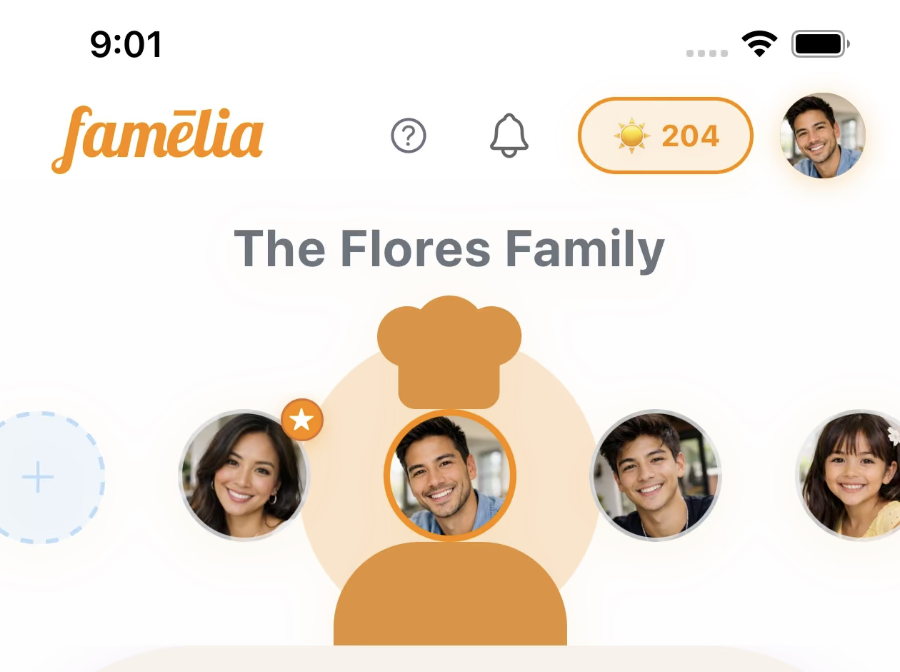
Famēlia is a health-tech mobile application that helps families manage multiple dietary needs by instantly customizing recipes. The app features AI-powered meal planning, a dietitian portal for professional collaboration, and immersive step-by-step cooking classes.
My Role
I joined Famēlia from October 2025 through January 2026 as a frontend engineer and UX/UI consultant. I was brought on for my frontend engineering and UX/UI experience, with my focus on key user-facing screens — refactoring the home screen, building out and restructuring the kitchen and recipe detail screens, and implementing the live cooking experience.
- Refactored and redesigned the home screen for improved navigation and content hierarchy
- Built out the kitchen screen and recipe detail screen with cleaner component architecture
- Implemented the live cooking screen for step-by-step guided cooking sessions
- Provided UX/UI consulting on interaction patterns, screen flows, and component reusability
Core Features
- AI-powered recipe customization for dietary restrictions
- Dietitian portal with client management and meal plan tracking
- Interactive cooking classes with step-by-step guidance
- Real-time progress tracking and analytics
- Integrated scheduling and communication tools
Technologies Used
- React Native ✓
- TypeScript ✓
- AI Integration (recipe customization)
Overview
I joined Famēlia as a way to contribute to a local startup while job hunting — an opportunity to apply my React Native and UX/UI experience to a real product preparing for its first public release.
Background
Famēlia was pre-launch when I came on board — the app was being prepared for TestFlight and hadn't yet reached users. The founder needed frontend engineering help and UX/UI guidance to get the core mobile experience polished and ready for testers. It was a good fit — I could bring my experience with React Native and component architecture to a codebase that needed structural improvements ahead of its first release.
My Focus Areas
The engagement was scoped around the screens that mattered most for launch: the home screen (first impression and daily entry point), the kitchen and recipe detail screens (core app functionality), and the live cooking screen (the flagship interactive experience). Each screen needed both UX refinement and underlying code restructuring.
Approach
Rather than proposing a wholesale rewrite, I focused on incremental improvements — refactoring each screen as I worked on it, breaking large components into smaller pieces, and establishing patterns that the team could follow going forward. This kept feature delivery on track while steadily improving the codebase ahead of the TestFlight release.
Overview
The most impactful work was restructuring core screens to be more maintainable and performant — turning large, monolithic screen components into composable pieces that were easier to reason about, test, and extend.
Home Screen Refactor
The home screen was the first thing users would see after launch, and it needed to surface personalized content — recent recipes, meal plan progress, and dietary profiles — without feeling overwhelming. I restructured it from a single large component into focused, composable sections, improving both readability and the ability to iterate on individual features independently.
Kitchen & Recipe Detail
The kitchen screen and recipe detail screen were central to the app experience. I broke down tightly coupled UI into smaller, reusable components with clear data boundaries, making it straightforward to add features like dietary substitutions and cooking mode transitions without cascading changes across the codebase.
Live Cooking Experience
The live cooking screen guided users through recipes step by step, with timers, ingredient highlights, and progress tracking. Building this required careful state management to handle mid-recipe navigation, pausing, and resuming without losing context — all while keeping the interface clean and accessible during hands-on cooking.
Overview
Working on Famēlia as both an engineer and consultant reinforced the value of approaching an unfamiliar codebase with patience, clear communication, and a focus on incremental improvement rather than wholesale rewrites.
Technical Takeaways
- Joining an existing codebase requires investing time upfront to understand existing patterns and conventions before proposing changes — rushing to refactor without context creates more problems than it solves
- Breaking large screen components into smaller, focused pieces improves both developer experience and AI tooling effectiveness — smaller files are easier to review, test, and reason about
- Working in a codebase with heavy prior AI usage highlighted the importance of consistent code style and clear component boundaries — AI-generated code benefits from the same structural discipline as hand-written code
- Consulting on UX/UI alongside engineering creates a tighter feedback loop — being able to implement design changes directly rather than handing off specs reduced iteration time significantly
Working as a Consultant & Engineer
Joining a pre-launch project as both a UX/UI consultant and frontend engineer meant balancing two priorities: delivering features on a timeline while also improving the underlying code quality. The approach that worked best was making incremental refactors alongside feature work — each screen I touched got restructured into smaller components as part of the implementation, rather than treating refactoring as a separate effort. This kept the project moving toward its TestFlight release while steadily improving maintainability.
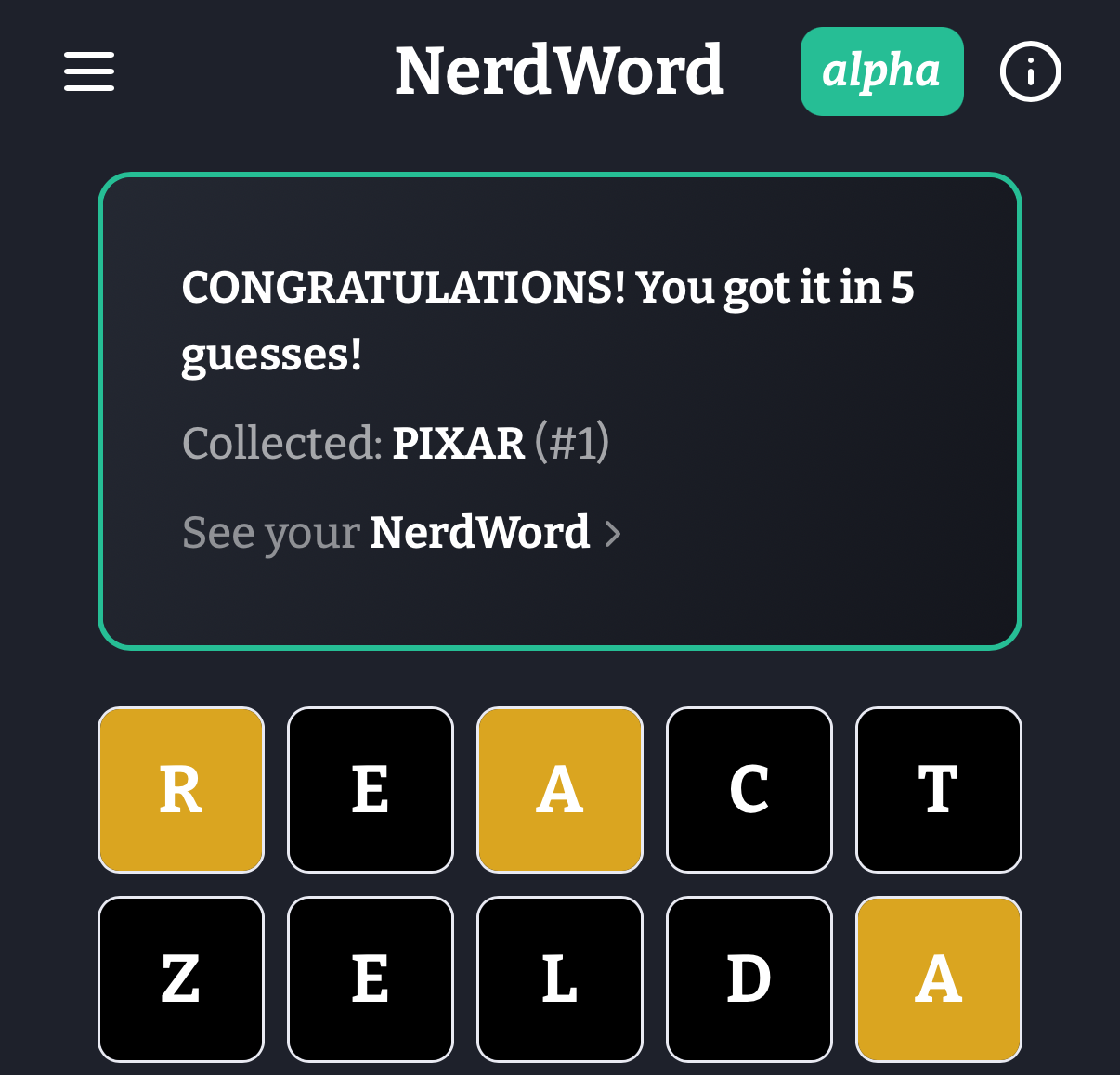
NerdWord is a Wordle-style word guessing game focused on nerdy topics including movies, science, video games, literature, superheroes, board games, anime & manga, fantasy & sci-fi, and tech & internet culture. It's built with React Native and Expo for cross-platform compatibility.
Core Functionalities
- Daily Themed Puzzles - New word puzzles each day from different nerdy categories
- Collectable WordCards - Each solved word becomes a digital flash card with detailed information, hints, and Wikipedia links for learning
- Progressive Hint System - Daily hints available when stuck, with Wikipedia links for deeper learning
- CDN-First Word Loading - Optimized word dictionary system with instant updates via CDN without app redeployment
- 3,800+ Word Database - Curated mix of common words (98%) and nerdy terms to create engaging gameplay progression
- Offline Support - Full gameplay available without internet connection
My Role
As the developer of NerdWord, I architected and implemented the entire application including:
- Frontend React Native/Expo development with TypeScript
- Backend Firebase Functions API development
- CDN-optimized word management system with auto-versioning
- Cross-platform deployment pipeline using Expo EAS
- Performance optimizations reducing bundle size by 243KB through CDN-first architecture
- Curated 3,800+ word database with strategic mix of common and nerdy terms for optimal gameplay
Technologies Used
- React Native ✓ (Cross-platform mobile and web)
- Node.js ✓ (Firebase Functions backend)
- Express ✓ (Backend API routing)
- Firestore ✓ (NoSQL database)
- TypeScript ✓
Additional Technologies
- React Native & Expo - Cross-platform mobile development with Expo Router
- Firebase - Backend services (Functions, Firestore, Auth, Hosting)
- CDN Architecture - Auto-versioned word dictionary with aggressive browser caching
- EAS Build/Update - Deployment and over-the-air updates
- Jest - Testing framework for component and logic validation
Tooling & Workflow
- Bootstrapped with Expo using create-expo-app (basic template)
- VS Code Chat/GitHub Copilot and Cursor for tests, refactors, semantic navigation, and safe structured edits across modules
- Figma for design system and UI component specs
Overview
NerdWord was created to combine the addictive gameplay of Wordle with educational content focused on nerd culture. The goal was to create a learning tool disguised as entertainment, where players discover new concepts from science, technology, gaming, and pop culture through gameplay.
Background
Inspired by the original Wordle's viral success, I wanted to create a variant that would appeal to tech enthusiasts, gamers, and pop culture fans while providing educational value. The challenge was balancing familiar gameplay with curated content that would introduce players to new concepts and vocabulary from nerdy domains.
Initial Designs
The initial design focused on replicating Wordle's core mechanics while adding category-based theming and educational features. Key design decisions included implementing a hint system, Wikipedia integration for learning, and a collectable card system to encourage exploration of the full word database.
Planning Process
Development was planned around three core pillars: engaging gameplay (daily puzzles with hints), educational value (detailed word information and Wikipedia links), and technical innovation (CDN-first architecture for instant content updates). The architecture was designed to support rapid content expansion without requiring app store updates.
Overview
The standout feature of NerdWord is its innovative CDN-first word loading architecture, which eliminated 243KB from the app bundle while enabling instant word updates without app redeployment. This technical innovation solved the fundamental problem of content management in word games.
Killer Feature
The CDN-first architecture with auto-versioning represents a paradigm shift from traditional app bundle approaches:
- 99.96% reduction in localStorage usage (from 243KB to ~100 bytes metadata)
- Auto-versioning system detects content changes via SHA-256 hash and increments versions automatically
- Aggressive browser caching with immutable HTTP headers and URL-based cache busting
- Zero Firestore reads for word data, eliminating database costs and latency
- Instant word updates delivered via CDN without requiring app store approval
Technical Hurdles
The main challenge was balancing performance, reliability, and developer experience. Initial approaches using Firestore generated 101,000+ reads and significant costs. The localStorage-heavy approach caused memory issues on mobile devices. Finding the optimal architecture required iterating through multiple solutions while maintaining backwards compatibility.
Solutions
The final CDN-first solution leverages browser cache efficiency, HTTP headers, and URL versioning for cache busting. Metro bundler configuration excludes word data from the app bundle, while the auto-versioning system ensures users get new content on their next session. Fallback mechanisms ensure reliability even when CDN requests fail.
Overview
Building NerdWord reinforced core architectural principles I've applied across multiple React Native projects over the past four years. The CDN-first approach validates my experience that infrastructure decisions drive performance more than code-level optimizations - a lesson learned from shipping apps at scale for portfolio companies at SecretLab.
Technical Takeaways
- Validated my approach of treating static data as infrastructure, not application state - CDN delivery eliminated operational costs while improving UX
- Confirmed browser cache strategies I've used in production apps - immutable URLs with proper HTTP headers consistently outperform application-level caching
- Applied proven React Context optimization patterns to prevent render cascades - techniques I've refined across multiple large-scale apps
- Leveraged Expo's strengths while working around platform limitations - knowledge gained from shipping both bare React Native and Expo apps to production
- Implemented accessibility-first development practices I've established as standard - WCAG compliance built into component architecture from day one
Framework Evaluation
This project confirmed my framework selection criteria developed over 4+ years shipping React Native apps professionally. I chose this specific stack - React Native/Expo with Firebase - because it's the same technology combination I've used extensively in my professional work, from early-stage portfolio companies to production apps serving thousands of users. Expo's developer experience and EAS deployment pipeline align with rapid iteration needs, while still providing escape hatches for native optimization when required. The serverless Firebase architecture scales predictably - important for portfolio company work where growth trajectories vary dramatically. Building NerdWord with this proven professional stack allowed me to focus on product features rather than learning new technologies, while also demonstrating my deep expertise with tools I use daily in client work.
Accessibility Considerations
Applied my established accessibility implementation strategy - keyboard navigation, focus management, and ARIA labels designed into the component architecture rather than added later. This approach, refined across multiple production apps, ensures compliance without retrofitting costs and provides consistent UX patterns that users can rely on.
Impact on Future Work
This project validates architectural patterns I'll continue applying to client work - particularly the CDN-first content strategy for apps requiring frequent updates without app store dependency. While this React Native/Firebase stack has proven highly effective for rapid development and scaling, I'm planning to explore SQL backends in future projects to broaden my skillset and leverage the benefits of relational databases: ACID compliance for complex transactions, mature query optimization, better data integrity constraints, and more predictable performance characteristics for data-heavy applications. The detailed analytics and user behavior tracking demonstrate the type of data-driven approach I bring to product development decisions.
Portfolio Website
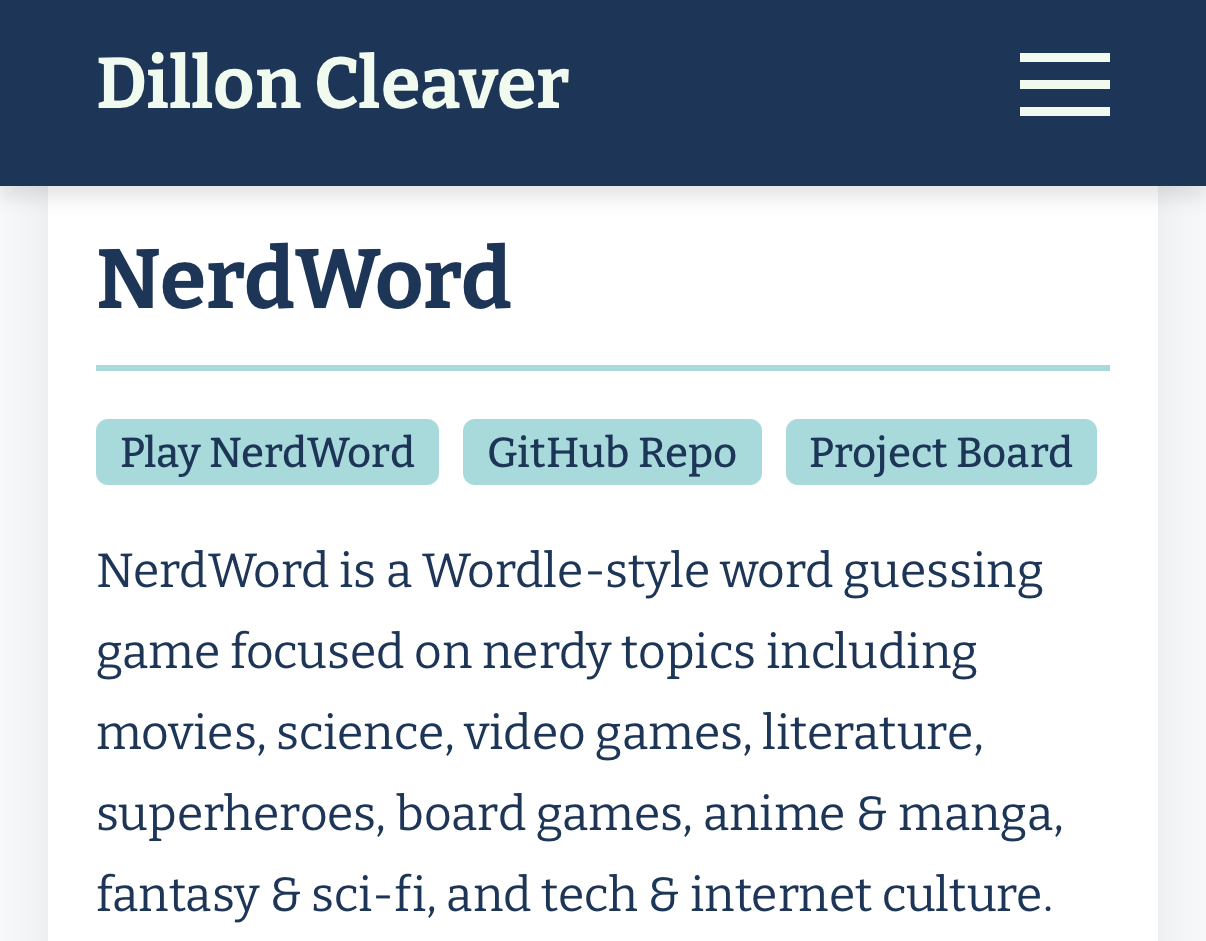
This portfolio is a modern, performant site built with the Next.js App Router, showcasing projects, background, and a contact form. It emphasizes accessibility, responsive design, and clean, component-driven architecture.
My Role
I designed and developed the entire application end-to-end: information architecture, component composition, styling system, API route for email, validation, and deployment configuration. The initial template and file structure were scaffolded using v0 by Vercel, and once the design and structure were finalized, I moved the code to Cursor in early 2025 for AI-assisted refactors and continued development.
- Component-driven UI with reusable sections (Navbar, About, Projects, Contact, Footer)
- Form validation with Zod and client-side UX states
- Email delivery via API route integrated with Resend
- Environment-driven maintenance mode using Next middleware
Tooling & Workflow
- v0 by Vercel used to generate the initial site template and component scaffolds
- Cursor for continued development after moving from v0: AI-assisted edits, semantic code navigation, structured refactors, and inline type fixes
- Tight feedback loop with linter/type checks to keep changes safe and incremental
Technologies Used
- Next.js 15 ✓ (App Router)
- React 19 ✓
- TypeScript ✓
- CSS Modules ✓ (scoped styling)
- Zod ✓ (form validation)
- Resend ✓ (email API integration)
- Next Middleware ✓ (maintenance mode)
- Google Fonts ✓ (Bitter)
Additional Features
- Smooth scrolling and section anchors
- Responsive layout with grid-based project cards
- Strict typing for project content data model
- Optimized images configured via Next settings (unoptimized flag for simple static hosting)
Overview
I needed a clean, professional portfolio site to showcase my projects and make it easy for potential employers and collaborators to get in touch. Rather than using a template service, I built it from scratch to demonstrate the same skills the portfolio is meant to highlight.
Background
Previous iterations of my portfolio used different stacks, but I wanted something built with the tools I use professionally — React, TypeScript, and a modern framework with good defaults for performance and SEO. Next.js with the App Router was the natural choice.
Initial Designs
The initial structure was scaffolded using v0 by Vercel to get a working template quickly. Once the design and structure were finalized in v0, I moved the code to Cursor in early 2025 and heavily customized it from there. The goal was a single-page layout with clear sections — about, projects, and contact — that felt intentional without being over-designed.
Planning Process
The key architectural decisions were driven by simplicity: CSS Modules over a utility framework to keep styles scoped and readable, a typed data model for projects so content changes never break the UI, and a lightweight maintenance mode via middleware for times when the site needs to go offline temporarily.
Contact Flow
The contact form uses Zod for client-side validation and a Next.js Route Handler to send emails through Resend with proper error handling and success states.
Maintenance Mode
A lightweight middleware checks an environment flag (NEXT_PUBLIC_MAINTENANCE_MODE) and redirects traffic to a dedicated maintenance page without affecting API routes.
Architecture
- App Router with metadata for SEO and icons
- Font loading via next/font with CSS variables
- Isolated CSS Modules per component for maintainable styles
Overview
Keeping content structured and typed (projects data model) reduces coupling between presentation and data, enabling easier future additions and refactors.